The free celebrant marketing tool every TCS member should be using
If you’re a member of The Celebrant Society (TCS) and you haven’t already created your wedding directory listing yet, you’re just leaving money on the table!
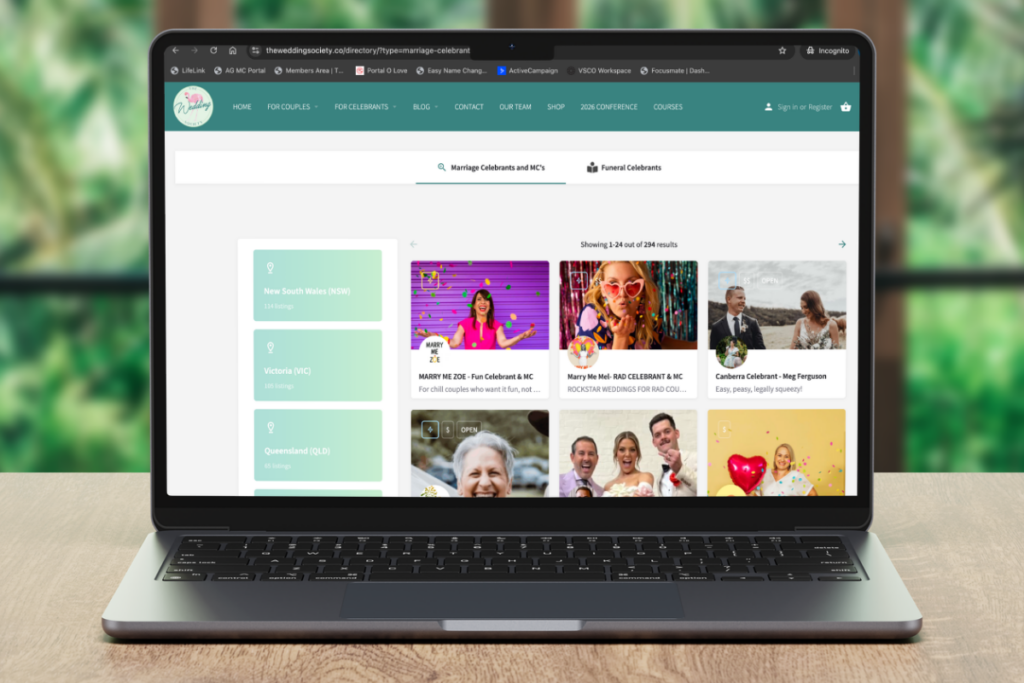
A directory listing is one of the many included benefits of being a TCS member. We have one of the fastest-growing wedding celebrant directories in Australia, with a significant increase in visits every month. It’s a powerful marketing tool that is free for our members!
Creating a TCS celebrant directory listing is one of the easiest ways for couples and families to find you, allowing people to search for celebrants in their area and contact them directly.
If you need some help getting started, just follow our simple step-by-step guide.
Not a member yet? Sign up today
Step 1: Navigate to the wedding celebrant directory listing page
Once you’re logged in to The Celebrant Society website:
- Hover over your name in the top navigation menu.
- Click “Add Directory Listing.”
You’ll then be taken to a page where you can choose the type of listing you want to create.
Available options include:
- Wedding Directory (Marriage Celebrant & MC services for engaged couples)
- Funeral Directory (Celebrant & Funeral Director services for bereaved families)
- Member-to-Member Directory (services and coaching to help other TCS members)
For this guide, we’ll focus on creating a listing in the Wedding Directory, but the process is the same for the Funeral Directory.
Step 2: Select your listing package
You’ll see two package options:
- Kiss Essential Listing – included with your TCS membership
- Make Out Session* – a premium listing
The Kiss Essential Listing normally costs $295, but TCS members receive it free with a discount code.
To access the discount code:
- Hover over your name in the navigation menu
- Click “Discounts”
- Find the code for Wedding Directory Listing – $295 Off
When you reach checkout later, you’ll apply this code so the listing becomes $0 for members.
* The Premium ‘Make Out Session’ listing includes everything in The Kiss listing, PLUS ability to upload up to 3 videos in your gallery; links to your email, phone number and socials; ability to add additional regions; a blog post inclusion; featured listings in the directory, on the homepage and on the blog. It costs $695, but TCS members receive a $295 discount.
Step 3: Fill out your celebrant business details
Wedding celebrant directory title
You’re limited to 34 characters, but if you have space, we suggest writing your:
- Name
- Business name
- State
E.g. Leslie Knope Celebrant & MC – QLD
(If you don’t have enough room, prioritise your business name)
These details will also form part of your listing URL, so make sure they’re accurate.
HOT TIP: Including your state in the URL will help your SEO ranking.
Tagline and description
Add a short tagline that captures your style or vibe, followed by a description of your services.
This is your opportunity to tell couples what makes you unique as a celebrant.
In your description, make sure you are specific about the areas you cover, and include keywords for search engines such as Marriage Celebrant, Wedding Celebrant, Authorised Marriage Celebrant, Wedding MC etc.
Images
You can upload:
- Logo
- Cover image (Size: 1920 x 768 pixels. No text on the image, please)
- Gallery images (up to six)
These images will appear on your directory profile and help couples get a sense of your work.
HOT TIP: Rename your images BEFORE you upload them with your ‘business name’ or ‘Marriage Celebrant Hunter Valley’ – this will help your listing rank better in Google.
Contact information
Add your:
- Email address
- Website (optional)
Your email address is especially important, because when couples complete the contact form on your listing, the message will go directly to that inbox.
Location and service areas
You’ll also need to enter:
- Your location (this is where you live)
- Regions of coverage (this is where you do weddings)
The best approach is to:
- Select the state you work in
- Then tick up to three specific regions you service
This ensures couples searching broadly by state can still find you, while also showing your local service areas.
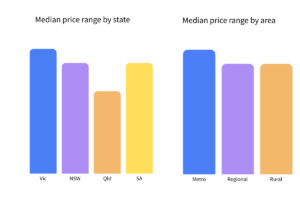
Price range (optional)
Step 4: Submit your listing
Once you’ve completed the form, click “Submit Listing.”
(We recommend submitting the listing rather than using Preview or Save Draft, as those options can sometimes create duplicate entries.)
After submitting, you’ll be taken to the checkout page.
Step 5: Apply the member discount code
At the top of the checkout page:
- Click “Apply Coupon.”
- Enter the member discount code you found earlier on the discounts page.
The listing price will drop from $295 to $0 for members.
Complete the checkout process to finalise your submission.
IMPORTANT: If you do NOT use your member discount code, you will be charged for the listing, so don’t forget to add it.
Step 6: Wait for approval
Once submitted, your listing will be sent to the TCS team for approval. After it’s approved, it will appear in the directory where couples and families can find you.
Step 7: Let the enquiries roll in!
Couples who visit the wedding directory website can:
- Browse celebrants directly from the directory pages
- Filter by state
- Filter by specific regions
When someone clicks on your profile, they’ll see:
- Your logo and cover image
- Your tagline
- Your description
- Your gallery images
- Your service areas
- Your price range (if included)
They can then complete the contact form on your listing, and the enquiry will go straight to your email inbox.
Creating a Funeral Celebrant or Member-to-Member listing
The process for creating a Funeral Celebrant Directory listing is exactly the same.
Simply select the Funeral Celebrant directory option when creating your listing and follow the same steps.
The process for a Member-to-Member directory listing is a little bit different, but you can find our instructional video here.
Create your TCS Wedding Celebrant Directory listing today
Creating your directory listing on The Celebrant Society only takes a few minutes, but it can make a big difference in helping couples and families discover your celebrant business.
By completing your profile with a strong description, beautiful images, and clear service areas, you make it easier for people to find you when they’re searching for a wedding celebrant, MC, or funeral celebrant in their region.
So what are you waiting for? Create your listing now!
More of a visual learner? Follow our step-by-step video guide to creating your directory listing here: